
01
Quote
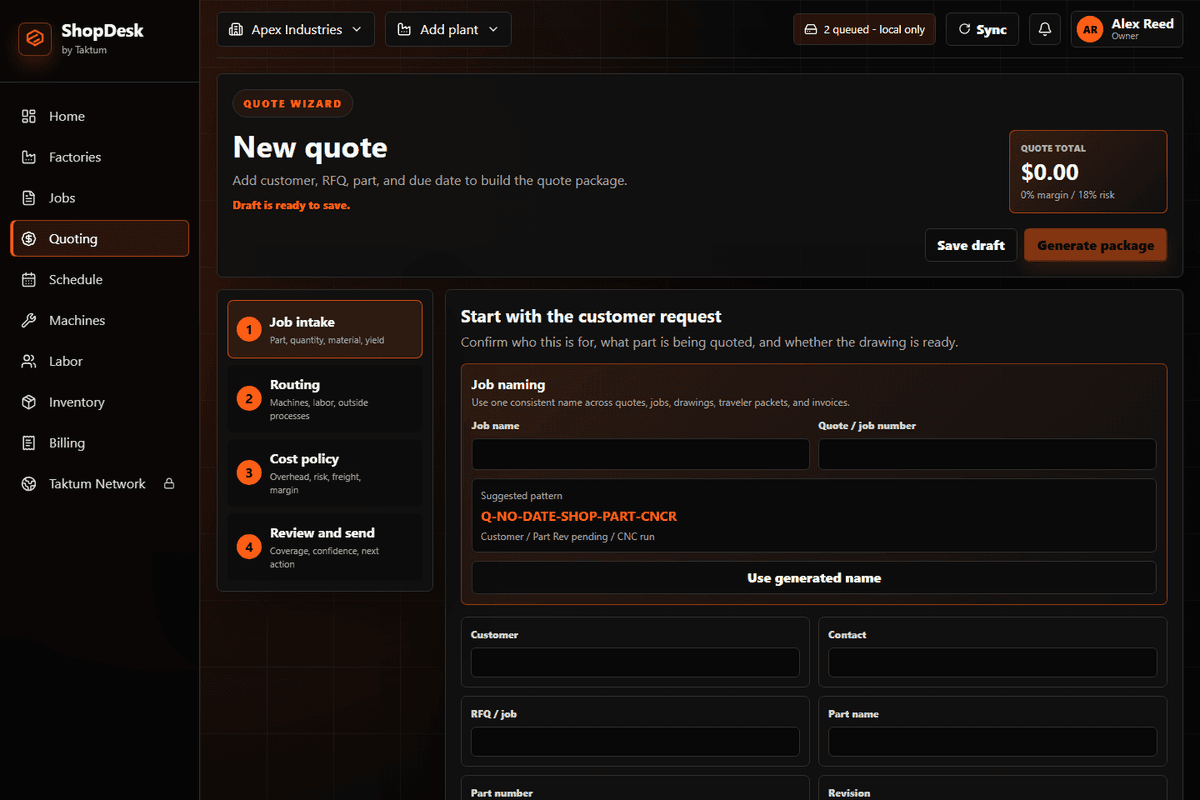
Capture the customer request, files, material, quantity, due date, tolerance, finish, margin, and risk before anything gets scattered.
 SHOPDESK BY TAKTUM
ShopDesk by Taktum turns customer requests, pricing, job release, live production tracking, and customer updates into one local-first factory management workflow for small manufacturers. Standalone access is $20/month.
Standalone
$20/month
Version
0.3.18
Offline
Local-first
Quote total
$3,820
Margin
28%
Risk
27%
Real job details
Drawings, materials, quantities, tolerances, due dates, and notes captured together
Quote-to-job
Accepted quote details become the job route without rebuilding the record
Live production
Owners and supervisors see stage, owner, blocker, and next action
Customer-ready
Status updates come from the job timeline instead of hallway guesses
Official product identity
Search results contain several unrelated products named ShopDesk. This ShopDesk is the Taktum product for manufacturers: RFQ context, quoting, job release, QR travelers, production status, quality notes, and customer updates.
Product
ShopDesk by Taktum
Category
Manufacturer software and factory management system
Built for
Machine shops, fabricators, repair shops, and custom manufacturers
Not for
Retail point-of-sale, appointment booking, or generic ecommerce storefronts
Real job scenario
ShopDesk by Taktum is the manufacturing ShopDesk in that chain: a customer request becomes a priced quote, then a released job, then a floor update, then a customer-ready answer.
Request
BRACKET-RFQ-1042 comes in with a Rev C drawing, 6061-T6 material, black anodize, and a Friday due date.
Quote
The estimator prices material, outside finish, labor, margin, lead time, and delivery risk from the same record.
Release
The accepted quote becomes a released job with files, route steps, owner, traveler, and proof requirements attached.
Floor update
An operator scans the QR traveler, confirms the operation with a PIN, adds a blocker note, and keeps dispatch current.
Customer answer
The owner can tell the customer exactly where the job is, what changed, and what step happens next.
One day, one system
From the first customer request to final status update, ShopDesk keeps pricing, files, production steps, proof, and customer communication attached to the same job record.
Capture the customer request, files, material, quantity, due date, tolerance, finish, margin, and risk before anything gets scattered.
Build a quote from real job requirements so material, labor, outside services, lead time, margin, and risk are visible before sending.
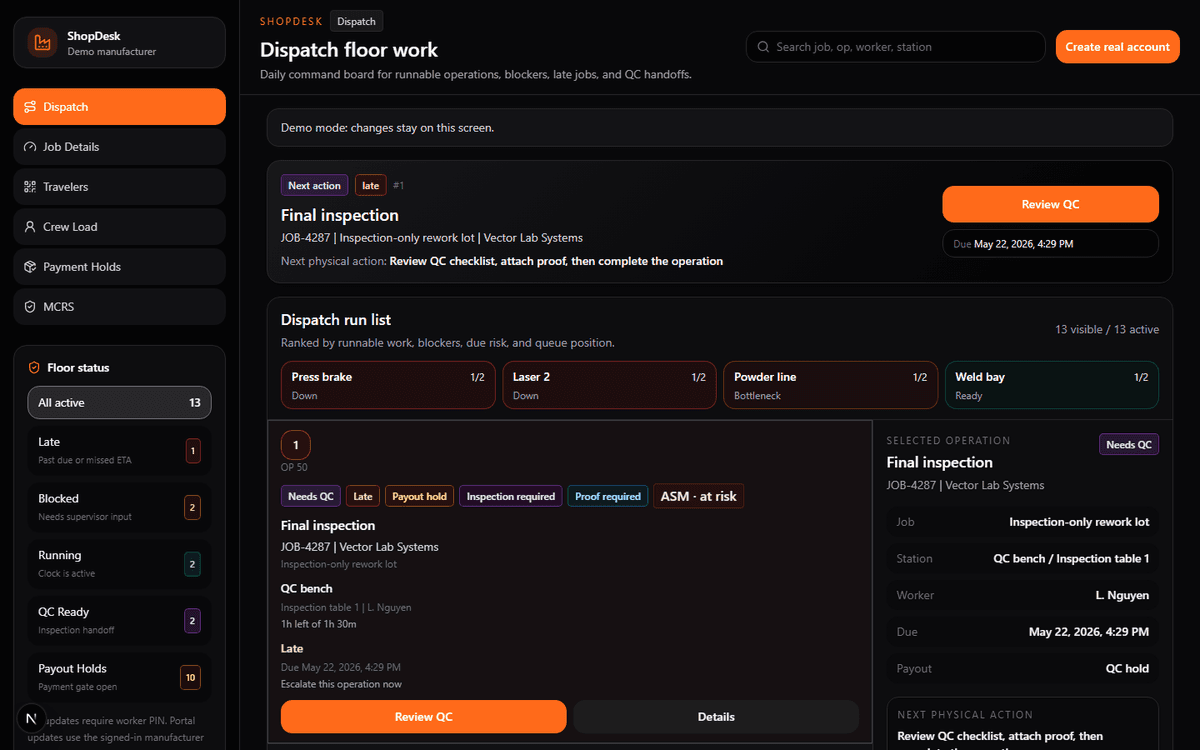
Turn the accepted quote into a job route with files, notes, proof requirements, work centers, and shop instructions attached.
See where the job is, who owns it, what is blocked, which station is next, and what should happen next.
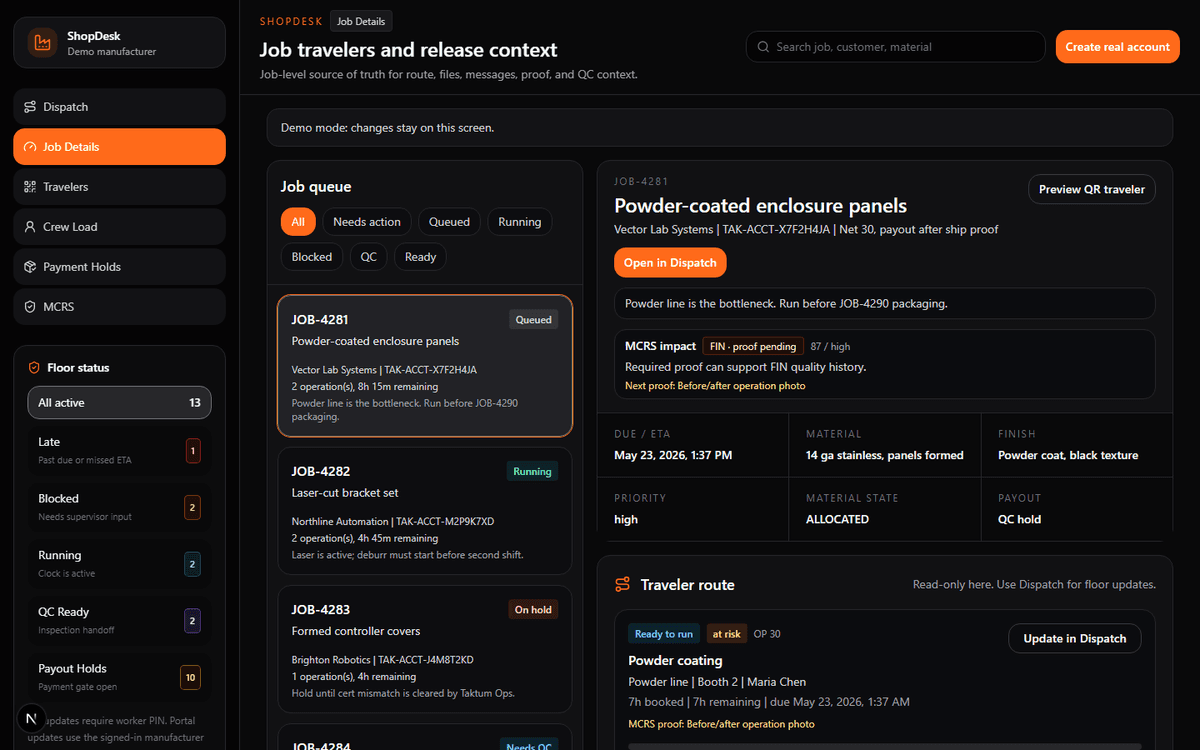
Give customers a real answer from the job timeline, current stage, expected next step, and delivery risk.
Before and after
ShopDesk turns the paper traveler, status meeting, proof chase, and payout question into one live operational record.
Paper traveler
One live job record
Text-message status checks
Dispatch board by next action
Shared-folder file hunting
Released files attached to the traveler
Customer calls for updates
Current stage and next step already ready
Accepted quote retyped as a job
Quote details release into the job record
Live quote-to-job walkthrough
Follow one job as ShopDesk carries the important information from quoting into production, tracking, proof, and customer communication.
Quote intake
Built for the people on the floor
The magic is not another dashboard. It is giving every person the exact slice of the job they need, without breaking the record into five separate systems.
One screen for what is late, what is blocked, what is ready to ship, and what needs a customer update.
Fewer status meetings
Run the floor by next action, not by memory. Station load, route progress, crew load, and due risk stay visible.
Cleaner dispatch decisions
Scan the job, see the right files, update the operation, and add notes from a job-scoped floor view.
Fast QR updates
Simple to start
A standalone ShopDesk workspace for your shop. No marketplace commitment required. Use it for quotes, jobs, travelers, files, crews, floor updates, customer updates, and production visibility.
Release channel
Downloads are served from the latest ShopDesk release uploaded in the Taktum admin vault. Windows is available by default; Mac appears when a Mac release is published.
ShopDesk-by-Taktum-Setup-0.3.18.exe
If a manufacturer has Taktum Rate Advantage, ShopDesk is included. Rate Advantage itself remains the network subscription; ShopDesk is the floor system that can stand alone or connect into it.
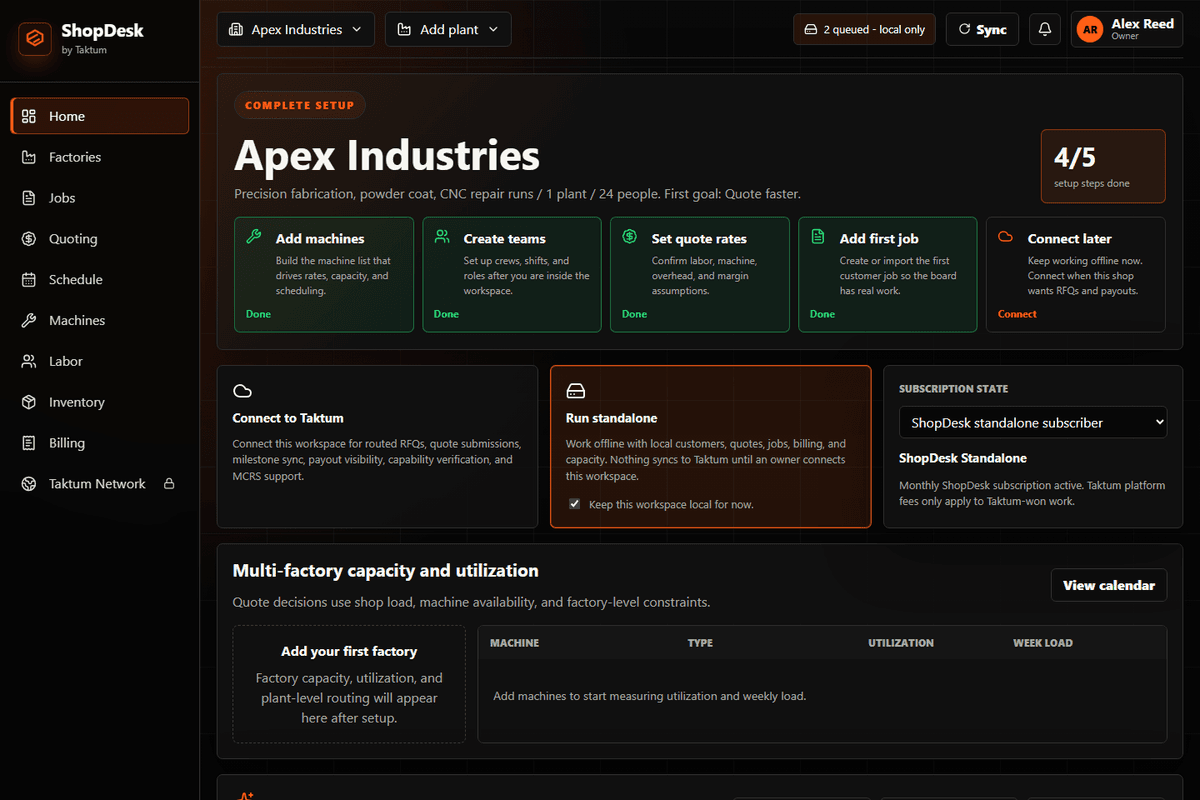
First 15 minutes
The first win is simple: put one job into ShopDesk, attach the route and files, open the QR traveler, and let one operator update it from the floor.
Create the shop workspace
Add one work center
Create or import one live job
Attach route steps and files
Open the QR traveler
Have an operator scan, PIN, and update
Hidden power
The features that matter most are often the ones nobody sees in a sales deck: offline behavior, scoped security, job-tied proof, and clean sync boundaries.
Quotes, jobs, and updates can keep moving locally when the plant internet drops.
QR codes reveal job context, but status changes require verified shop-floor identity.
Photos, measurements, shipment notes, and release notes stay tied to the job record.
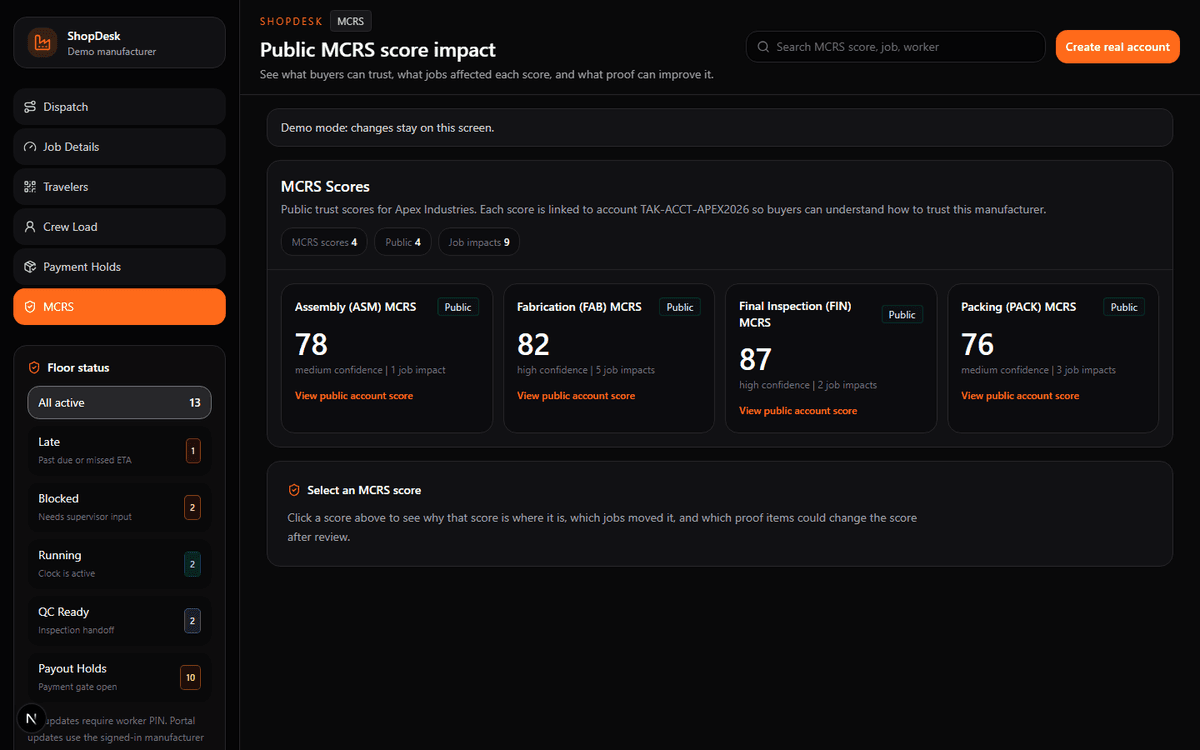
When connected, the same work history can support routed work, MCRS, and Taktum Rate Advantage context.
Connect when ready
ShopDesk can run as its own shop-floor system. When connected to Taktum, the same job history can become buyer-visible reliability proof and routing context.
Routed opportunities matched to capability and capacity
Manufacturer Confidence & Reliability Score history
Buyer-facing trust signals from real job behavior
Network payout context tied to proof and shipment state
Trust checks
No. ShopDesk is for quoting, job release, travelers, shop-floor status, files, and customer updates. Keep your accounting or ERP if it already works.
No. QR travelers show job-scoped context. Mutating actions require worker PIN confirmation.
Standalone ShopDesk is your workspace. Routed work, MCRS, and buyer-facing trust apply when the shop connects to Taktum.
It is priced so small shops can adopt the floor system before deciding whether the Taktum network subscription makes sense.
ShopDesk cluster
These pages explain how ShopDesk by Taktum fits manufacturer software, factory management, QR traveler, and post-award production visibility searches.
A manufacturer should not need a new domain, a custom rollout, or a week of setup to know what is running, what is blocked, and what needs proof before payment.